
Airbnb does not publish one fixed refresh clock for every search ranking signal. A title, price, calendar, or photo edit may appear on your listing quickly, but your position in search can keep moving for days as guests see, click, save, and book the updated listing. For most hosts, the practical testing window is 24-72 hours for visibility checks and 7-14 days for ranking confidence.
The mistake is checking every hour, changing five things at once, and then blaming the algorithm. Treat Airbnb search like a feedback system: publish one meaningful improvement, wait long enough for guests to react, and measure impressions, clicks, saves, and bookings before touching the next lever.
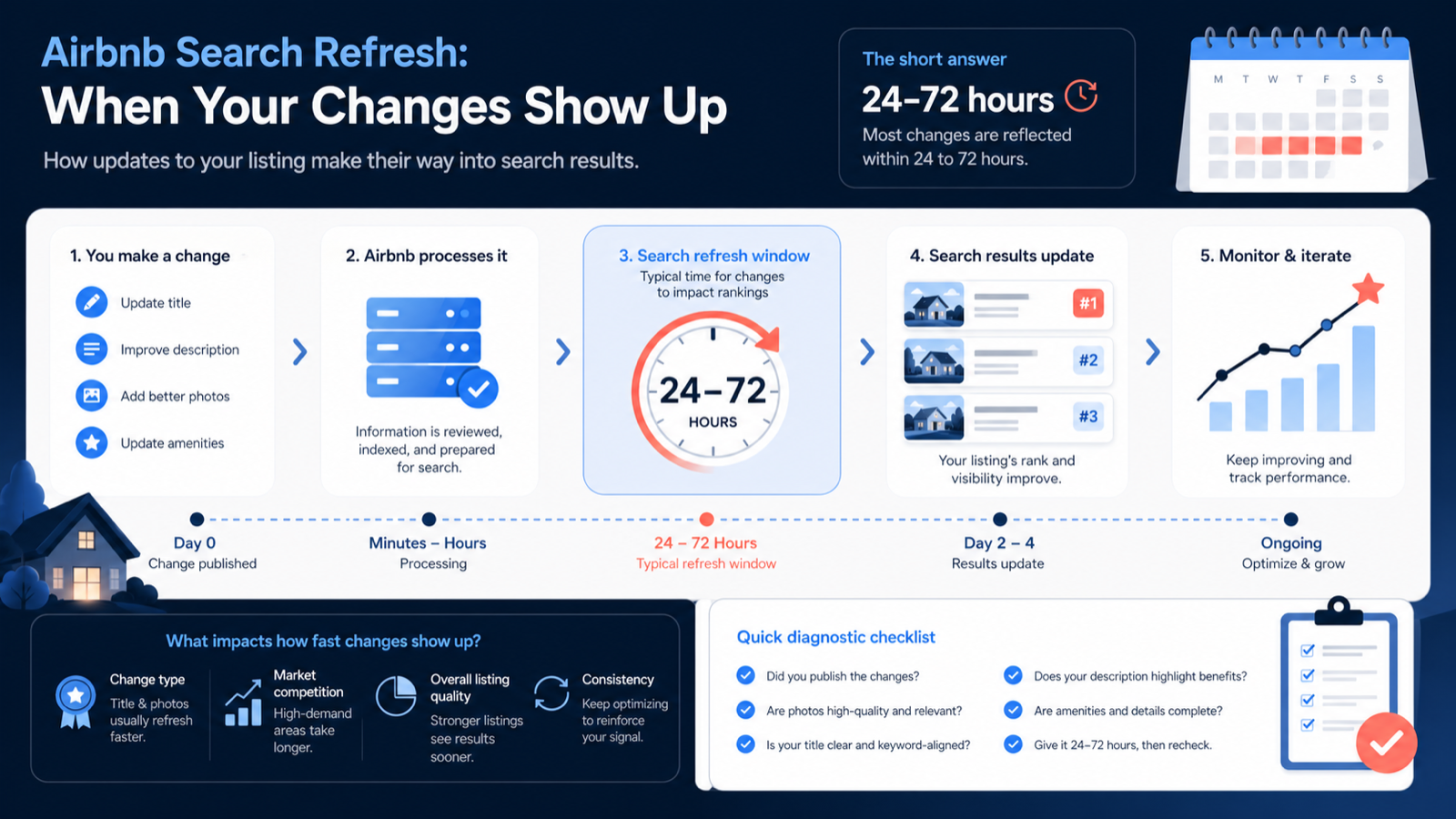
The short answer
If you changed a field guests can see directly, check the live listing soon after saving. If you changed something that affects ranking, give it a longer read.
| Change type | What to check first | Practical watch window |
|---|---|---|
| Title, description, amenities | Does the public listing show the edit? | Same day |
| Photos and first-photo order | Does mobile search show the new lead image? | 24-72 hours |
| Calendar availability and pricing | Does your listing match more searches? | 24-72 hours |
| Click-through and wishlist behavior | Are more guests opening or saving it? | 7-14 days |
| Reviews, rating, Superhost signals | Has trust changed after real stays? | Weeks |
Airbnb's own search results guidance and host search guide point to a mix of price, listing quality, popularity, availability, response behavior, and guest fit. That means a visible edit and a ranking improvement are not the same event.
What updates quickly
These are the edits worth checking first because they can change what guests see on the listing card or listing page:
- Title - the fastest way to change the promise shown in search.
- First photo - the biggest click driver on mobile.
- Photo order - especially the first 5 images.
- Description - less visible in search, but important after the click.
- Amenities - can make you match more filtered searches.
- Calendar availability - affects whether you are eligible for a guest's exact dates.
- Price and discounts - affects competitiveness in the search set.
Do not confuse "the edit is live" with "the market has responded." Your new title can be visible today, while the click-through pattern takes a week to become meaningful.
What takes longer
Airbnb ranking is not just a static document index. It is shaped by how guests behave after the listing appears. These signals need real traffic:
- Guests clicking your card instead of neighboring listings
- Guests saving the listing to wishlists
- Guests spending time with the photo set
- Guests sending inquiries or booking
- Guests leaving recent high-quality reviews
- Your response time and acceptance behavior
- Whether guests complete stays without complaints
That is why a listing can move up, down, or sideways after an edit even when the edit itself is already visible. Search is reading the new version through guest behavior.
The 7-day test plan
Use this any time you change a title, first photo, price strategy, or availability window.
Day 0: capture the baseline
Before changing anything, screenshot:
- Your title
- First 5 photos
- Nightly price and cleaning fee
- Search position for 2-3 realistic guest searches
- Impressions, clicks, and click-through rate from your host dashboard
If you do not capture the baseline, you will invent a story later.
Day 0: change one primary variable
Only change one major thing at a time. Good tests:
| Test | Good change | Bad change |
|---|---|---|
| Title test | Rewrite the title using one clear feature and audience | Rewrite title, description, price, and photos |
| Photo test | Replace the lead image with a brighter wide room shot | Upload 30 photos and reorder everything |
| Availability test | Open the next 30-60 days and reduce stay restrictions | Change every seasonal rule at once |
| Description test | Rewrite the first paragraph around guest fit and proof | Add a long keyword-stuffed description |
| Amenity filter test | Add accurate missing amenities guests actually filter | Add amenities you cannot reliably provide |
For title work, start with the formula in What's a Good Airbnb Title?. For broader listing fixes, use the short-term rental listing boost checklist.
Day 1-3: verify visibility, not victory
Search from a clean browser or incognito window. Use realistic filters:
- Destination or neighborhood
- Guest count
- Dates your listing is actually available
- Price range that includes your listing
- Any important amenities you compete on
Look for two things:
- Is the new visible element showing up?
- Are you eligible for the search you are testing?
If the listing is not eligible because the dates are blocked, the minimum stay is too strict, or the price is outside the searcher's range, the refresh question is the wrong question.
Day 4-7: read behavior
After several days, compare:
- Impressions
- Clicks
- Click-through rate
- Saves or wishlists if available
- Inquiries
- Bookings
The cleanest early win is a higher click-through rate with similar impressions. That usually means your first photo or title is doing its job.
If impressions rise but clicks stay flat, you may be matching more searches but losing the card comparison. Fix the title and first photo before touching the price.
If clicks rise but bookings do not, the listing page is not closing. Fix the description, photo sequence, cancellation clarity, fees, and trust signals.
Why your listing moved after a small change
Search results are relative. You are not ranking in a vacuum. A "small" change can matter because it changes the set you compete in.
Example: opening two-night stays may put your listing into more weekend searches. That can increase impressions, but it can also put you against stronger competitors. Your average position may dip while total opportunity rises.
Another example: lowering price can improve value, but it can also attract guests who compare you to cheaper, smaller, or less polished listings. A price change that lifts visibility may still reduce booking quality if the photos and description do not justify the stay.
So the question is not just "Did Airbnb refresh?" The better question is:
Did this change help the right guests choose this listing over the next 20 listings on the same screen?
What to do if nothing changes
If you waited 7 days and the dashboard is flat, run this checklist.
- Are your target dates open?
- Are minimum-night rules blocking common trip lengths?
- Is your price competitive after fees?
- Does the first photo communicate the best room or experience?
- Does the title say something guests cannot already see in the card?
- Are key amenities missing or inaccurate?
- Do the first 5 photos answer bedroom, bathroom, kitchen, feature, and trust?
- Does your description set accurate expectations?
- Are reviews, rating, or cancellation history holding you back?
Most "Airbnb search refresh" problems are really listing quality problems. The edit went live. It just did not earn a stronger guest reaction.
When to stop touching the listing
Stop editing when you have a real test running. A common host pattern:
- Change title Monday.
- Panic Tuesday.
- Change photos Wednesday.
- Lower price Thursday.
- Rewrite description Friday.
- Conclude the algorithm is random.
That is not optimization. That is noise.
Give big changes a full 7-day read, and give pricing/availability changes enough traffic to matter. If you get almost no impressions, the issue is eligibility or demand. If you get impressions but no clicks, the issue is card appeal. If you get clicks but no bookings, the issue is listing-page conversion.
The PolishBnB way to diagnose it
We split the listing into three layers:
| Layer | Main question | Fix first |
|---|---|---|
| Eligibility | Can the listing appear for the right guest search? | Calendar, stay rules, price, amenities |
| Card appeal | Does it win the click? | First photo, title, review trust, price signal |
| Page conversion | Does the click become an inquiry or booking? | Photo order, description, house rules, fees |
That keeps you from overreacting to ranking movement. Airbnb search may refresh frequently, but your listing only improves when one of those layers gets stronger.
If you want a faster read, run a free PolishBnB listing audit. Paste your Airbnb URL and we will flag the likely leak: eligibility, card appeal, or page conversion. If the problem is copy, the Airbnb SEO tool and AI Airbnb description writer can help you fix the parts guests actually see.
Quick answer recap
- Airbnb does not expose one fixed refresh schedule for every ranking signal.
- Visible listing edits can show quickly, but ranking response depends on guest behavior.
- Use 24-72 hours to confirm visibility and 7-14 days to judge impact.
- Change one major variable at a time.
- Diagnose eligibility, card appeal, and page conversion separately.
The hosts who win search are not the ones who refresh-check the most. They are the ones who make a better listing, wait long enough to read the signal, and improve the next weakest layer.