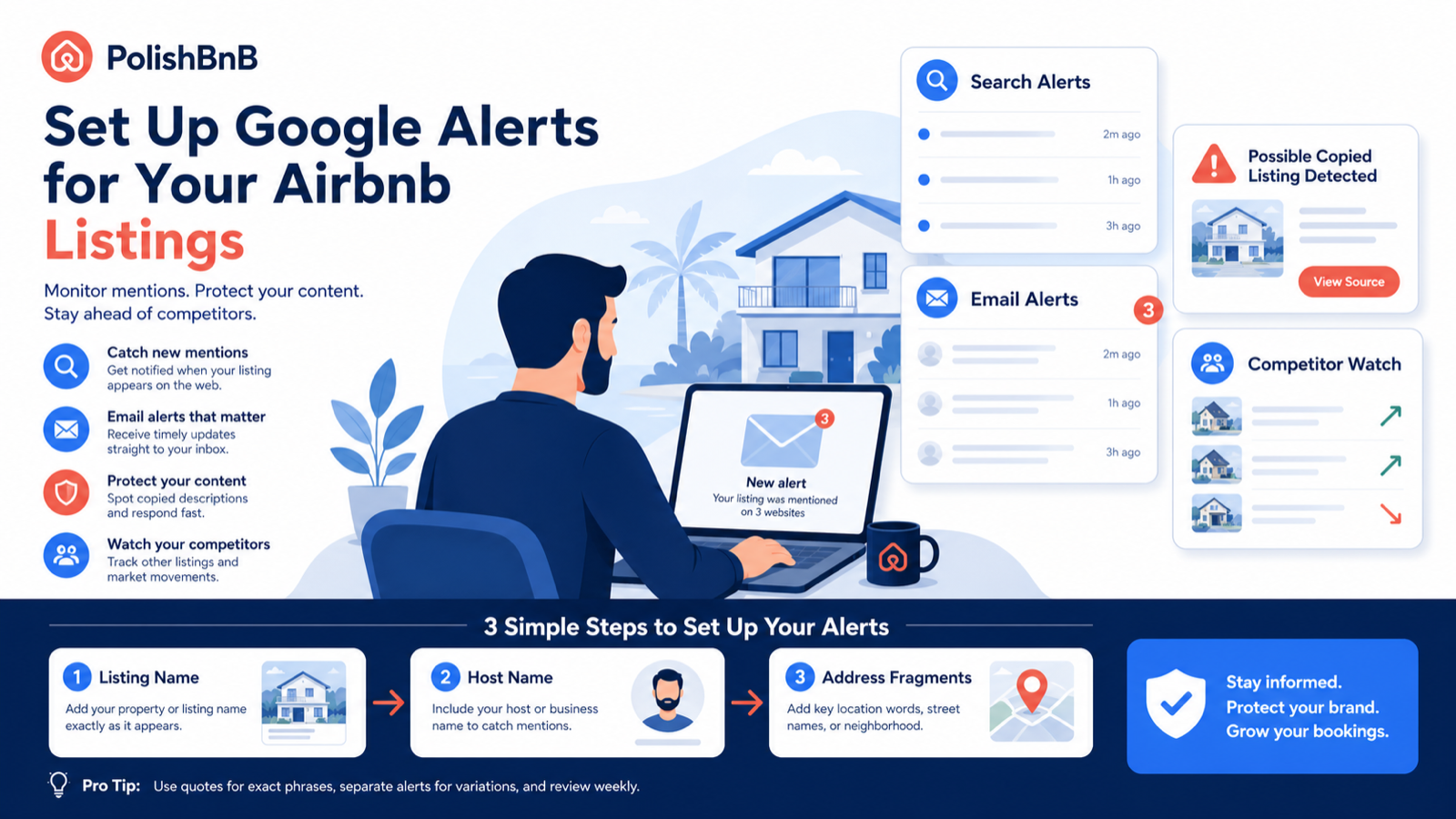
Google Alerts can work for Airbnb listings, but only for things Google can find on the public web. It will not monitor your Airbnb inbox, private host dashboard, or every ranking movement inside Airbnb search. It can help you catch copied listing descriptions, mentions of your property name, host brand mentions, local press, competitor pages, and new pages that reuse your exact wording.
The best setup is not one alert for "my Airbnb." Create 6-10 focused alerts around your listing title, host name, property name, neighborhood phrase, unique description snippets, and address fragments.
The short answer
Yes, Google Alerts can help Airbnb hosts, but it is a web mention monitor, not an Airbnb ranking tracker.
Use it for:
- Copied descriptions
- Property-name mentions
- Host brand mentions
- Local travel articles
- Competitor pages in your market
- Direct-booking pages using similar copy
- Mentions of your exact address or building name
Do not use it for:
- Airbnb search position
- Guest messages
- Booking alerts
- Calendar changes
- Price changes
- Private listing performance data
Google's own Create an alert guide says Alerts emails you when new Google Search results appear for a topic. That phrase is the whole constraint: if Google cannot see it in search, Alerts cannot reliably watch it.
The 7 alerts Airbnb hosts should create
Start with these. Each should be its own alert.
| Alert | Example search phrase | What it catches |
|---|---|---|
| Exact listing title | "Sunlit loft with rooftop deck" | Copied title or reposted listing |
| Unique description sentence | "Wake up 4 blocks from Pike Place" | Copied description text |
| Property nickname | "The Blue Door Bungalow" | Brand or guest mentions |
| Host or business name | "Maya Rivera" "Airbnb" | Host mentions, interviews, reviews |
| Address fragment | "Pine Street" "rooftop deck" "Seattle" | Building/location mentions |
| Neighborhood + property type | "Capitol Hill" "rooftop deck" "short-term" | Competitors and market pages |
| Exact amenity phrase you own | "cedar sauna by the creek" "cabin" | Copycats using your differentiator |
The most powerful alerts use exact phrases. A generic alert like Airbnb Seattle will drown you. A quoted snippet from your own description can catch surprisingly specific reuse.
How to set it up
Go to Google Alerts, then create alerts one by one.
For each alert:
- Enter the exact phrase or query.
- Click Show options.
- Set frequency to At most once a day.
- Set sources to Automatic unless you only care about news.
- Set language and region to your market.
- Set results to Only the best results for broad alerts.
- Send to the email you actually check.
For copied-description alerts, use All results if available. You want sensitivity there.
Query formulas that work
Use search syntax like a scalpel.
| Goal | Query format |
|---|---|
| Catch exact copied text | "exact sentence from your description" |
| Combine property and market | "property nickname" "city" |
| Watch host brand | "host name" OR "business name" |
| Watch direct competitors | "neighborhood" "airbnb" "hot tub" |
| Watch copied amenity phrase | "espresso bar" "blackout curtains" "city" |
| Exclude your own domain | "property name" -site:yourdomain.com |
| Find non-Airbnb reposts | "listing title" -site:airbnb.com |
You do not need advanced tooling for the first pass. You need better queries.
What to monitor weekly
Once alerts start arriving, sort them into four buckets.
Bucket 1: harmless mentions
Examples:
- A travel blog mentions your neighborhood.
- A guest posts a public itinerary.
- A local site references nearby attractions.
Action: save useful ideas, but do not panic.
Bucket 2: useful competitor intelligence
Examples:
- A competitor launches a direct-booking site.
- A new article ranks for your neighborhood.
- A nearby host is promoting a unique amenity.
Action: note what is working in the market. Do not copy. Use it to sharpen your own positioning.
Bucket 3: copied listing copy
Examples:
- Another site reuses your exact description.
- A competitor copies your title formula.
- A scraper republishes your listing text.
Action: screenshot the page, save the URL, and decide whether it matters. If it is spam nobody sees, ignore it. If it ranks or confuses guests, ask for removal or rewrite your own copy to stay distinct.
Bucket 4: trust or safety issue
Examples:
- Fake direct-booking page using your property name.
- Incorrect address details published publicly.
- Review or complaint pages mentioning your listing.
Action: document the issue immediately. This is the bucket worth acting on fast.
The best alert: one sentence nobody else would write
Most Airbnb descriptions are too generic to monitor. Alerts like these are weak:
| Weak phrase | Why it fails |
|---|---|
"beautiful apartment" | Thousands of listings use it |
"close to downtown" | Too generic |
"perfect for families" | Too common |
"fully equipped kitchen" | Nearly every listing says this |
Better:
| Strong phrase | Why it works |
|---|---|
"coffee already brewing four blocks from Pike" | Specific and ownable |
"cedar sauna by the creek" | Unique amenity phrase |
"the blue door bungalow" | Brandable property nickname |
"one squeaky floorboard between bed and bath" | Honest quirk, hard to duplicate |
If your listing has no ownable phrase, that is a copywriting issue. Use the Airbnb description checklist to add details guests can picture and Google can distinguish.
What Google Alerts will not catch
Be careful not to over-trust the tool.
Google Alerts may miss:
- Pages Google has not indexed
- Private social posts
- Airbnb internal search changes
- Content behind login walls
- Pages blocked from search
- Very new pages that have not been crawled
- Slightly rewritten copies of your description
So treat Alerts as a low-cost early warning system, not a full monitoring product.
How this helps bookings
Google Alerts does not directly improve your Airbnb ranking. The value is indirect:
- You notice when your copy is too generic.
- You spot competitors using clearer positioning.
- You catch copied content before it becomes confusing.
- You find local content opportunities.
- You learn which phrases around your market are being published.
That feedback can make your listing sharper. A sharper listing earns better clicks and better guest expectations.
A 20-minute setup plan
Do this once per listing:
- Copy your exact listing title.
- Copy 2 unique sentences from your description.
- Write down your property nickname or host brand.
- Write down 2 address/neighborhood fragments.
- Create 6-10 Google Alerts.
- Set broad alerts to once daily.
- Review every Friday for 10 minutes.
- Save anything useful in a simple spreadsheet.
Then revisit monthly. If alerts are noisy, narrow the phrase. If alerts are empty, add more specific snippets.
Where PolishBnB fits
Google Alerts watches the public web. PolishBnB checks the listing itself: title, description, first photos, trust signals, and guest-fit clarity.
Use both:
- Google Alerts tells you what appears around your listing.
- PolishBnB's free audit tells you what is leaking inside the listing.
- The Airbnb listing optimizer helps you turn those findings into better title, description, and photo-order decisions.
If the alert that keeps firing is your own generic phrase, that is the useful signal. The market is telling you the copy is not distinct enough yet.