
Airbnb hosts should automate the messages guests expect at predictable moments: booking confirmation, pre-arrival details, check-in instructions, mid-stay check-in, and checkout/review follow-up. Do not automate complaints, special requests, damage issues, refund conversations, or anything that needs judgment. Automation should make the stay feel calmer, not colder.
The rule is simple: automate information, personalize care.
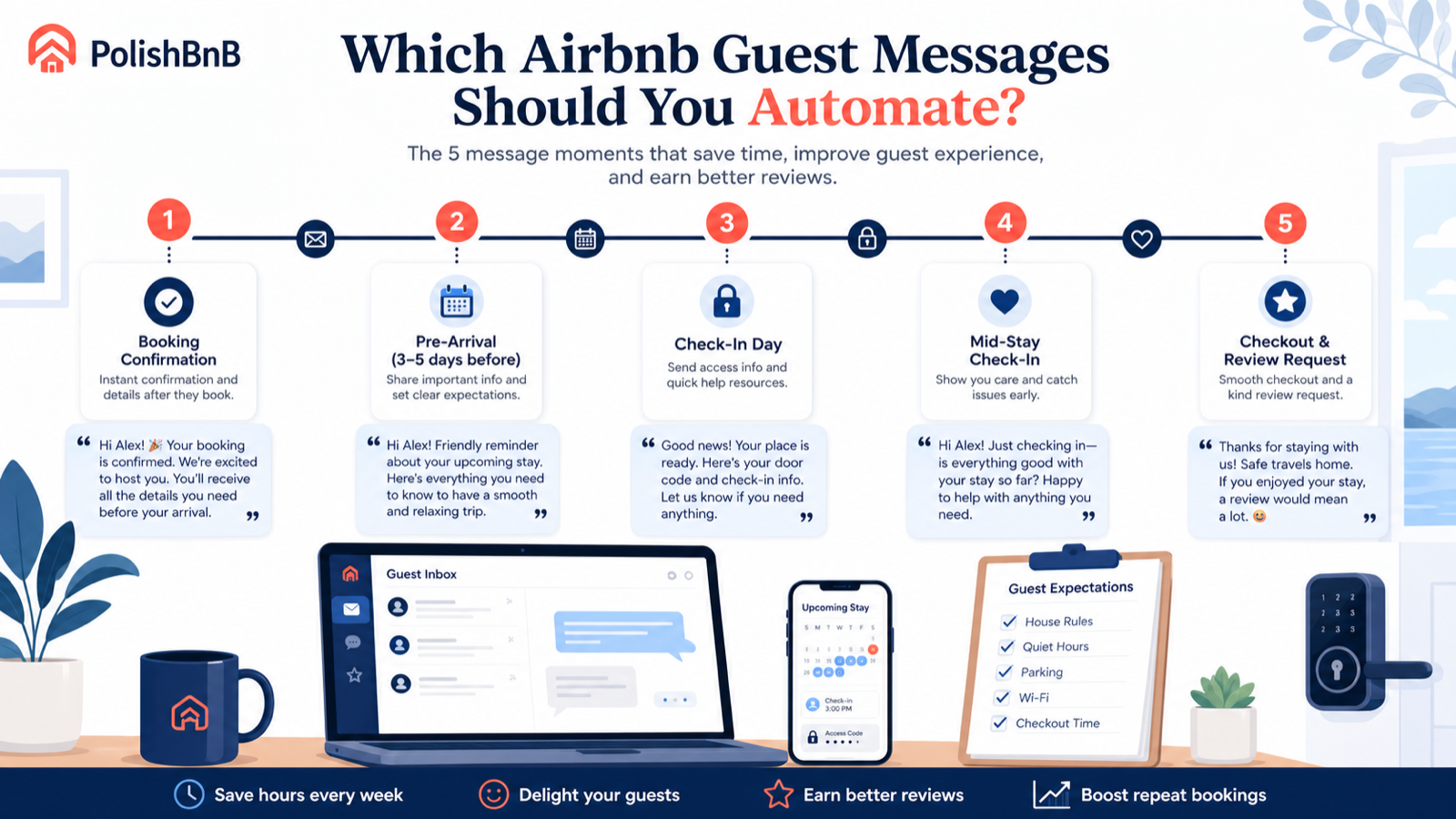
The short answer
Automate these 5 messages:
| Timing | Message goal | Should it be automated? |
|---|---|---|
| Booking confirmed | Welcome, confirm details, set tone | Yes |
| 3-5 days before | Arrival details, parking, house fit | Yes |
| Check-in day | Access code, wifi, urgent help path | Yes |
| Mid-stay | Catch issues before review time | Yes, lightly |
| Checkout / review | Checkout steps and warm follow-up | Yes |
| Complaint | Solve the actual problem | No |
| Refund request | Handle case by case | No |
| Special occasion | Personalize | No |
| Safety issue | Respond directly | No |
Airbnb supports scheduled quick replies and quick replies, and its host resources recommend using scheduled messages to share important information at the right moments. The feature is useful, but the content still has to sound like a real host.
Message 1: booking confirmation
Send immediately after booking.
Goal: make the guest feel they made a good choice and reduce the chance they ask the obvious first questions.
Hi {{guest_first_name}}, thanks for booking {{listing_name}}. We're happy to host you.

You're confirmed for {{check_in_date}} to {{check_out_date}}. I'll send full arrival details a few days before check-in, including parking, access, wifi, and anything worth knowing before you arrive.

If you're coming for a specific occasion or arriving late, feel free to message me here.
Why it works:
- Confirms the booking
- Sets expectation for when details arrive
- Invites useful personal context
- Does not overload the guest too early
Avoid:
- A giant house manual
- Too many rules
- Asking for a review before they arrive
- Copy that sounds like a hotel policy PDF
Message 2: pre-arrival message
Send 3-5 days before check-in.
Goal: prevent arrival anxiety.
Hi {{guest_first_name}}, your stay is coming up soon.

Quick arrival notes:

- Check-in: {{check_in_time}}
- Parking: [simple parking instruction]
- Address: {{listing_address}}
- Best entrance: [door/gate/building note]
- Quiet hours: [time range]
- Anything to know: [stairs, pets, road noise, old lock, etc.]

I'll send the access code on check-in day. Message me if your arrival time changes.
This is the message that protects your review. Guests forgive quirks more easily when they know about them before arrival.
If your listing description hides an important quirk, fix the listing too. See What All Should Be in an Airbnb Description? for the expectation-setting checklist.
Message 3: check-in day instructions
Send the morning of check-in or a few hours before check-in, depending on your security preference.
Goal: make entry boring.
Hi {{guest_first_name}}, you're all set for check-in today.

Access:
- Door code: [code]
- Wifi: [network] / [password]
- Parking reminder: [short note]
- House guide: [link or short instruction]

If anything doesn't work when you arrive, message me here first. I usually respond within [response window].

Enjoy the stay.
Good check-in instructions are plain. This is not the place for charm. It is the place for zero ambiguity.
Include:
- Access code or lockbox location
- Exact entrance
- Wifi
- Parking
- Emergency contact path
- One line on how fast you respond
Exclude:
- Long amenity descriptions
- Full local guide
- Review request
- Upsell
Message 4: mid-stay check-in
Send after the first night for stays of 2+ nights.
Goal: catch fixable problems before they become a review.
Hi {{guest_first_name}}, just checking in. Is everything working well so far?

If anything feels off, please message me here and I'll help. I want the stay to be easy while there's still time to fix anything.
This message should be short. Guests do not want to manage your anxiety.
Do not ask:
- "Can you leave us five stars?"
- "Is everything perfect?"
- "Please tell us now before reviewing."
Ask like a helpful host, not like someone protecting a metric.
Message 5: checkout and review follow-up
Send the evening before checkout or morning of checkout.
Goal: make checkout clear and earn a review without pressure.
Hi {{guest_first_name}}, thanks again for staying with us.

Checkout is by {{check_out_time}}.

Before you leave:
- Lock the door
- Put used towels [location]
- Leave dishes [instruction]
- Message me when you're out if convenient

Safe travels home. If you enjoyed the stay, a short Airbnb review helps future guests know what to expect.
Keep checkout tasks light. A long chore list can hurt reviews, especially if guests also paid a cleaning fee.
What not to automate
Some messages should stay human.
| Situation | Why automation hurts | Better response |
|---|---|---|
| Guest reports a problem | They need action, not a template | Respond specifically and quickly |
| Late checkout request | Depends on cleaner and next reservation | Decide case by case |
| Refund or complaint | Needs judgment and documentation | Handle manually |
| Damage or rule violation | Tone matters | Keep it factual and direct |
| Accessibility question | Guest needs accurate details | Answer personally |
| Special occasion | Personal touch creates delight | Send a custom note |
| Safety issue | Automation feels negligent | Respond immediately |
Automation saves time by removing routine typing. It should not remove responsibility.
The message quality checklist
Before saving a scheduled message, check:
- Does this message answer a predictable question?
- Is the timing useful for the guest?
- Is every instruction specific?
- Does it match the listing description?
- Does it avoid overpromising?
- Does it sound like a person?
- Is there a clear path if something goes wrong?
- Is it short enough to read on a phone?
The best automated message is the one guests barely notice because it arrived exactly when they needed it.
The biggest mistake: messages that contradict the listing
Automation cannot fix a bad listing promise.
If your title says "quiet retreat" but the pre-arrival message warns about street noise, guests feel tricked. If your description says "easy parking" but your arrival message explains a complicated permit system, guests feel misled. If your photos hide stairs and your check-in message mentions a third-floor walk-up, the review already started badly.
Fix the listing first:
- Match the title to the real stay.
- Put the honest quirk in the description.
- Show important arrival details in photos when possible.
- Mention parking, stairs, noise, pets, and quiet hours before booking.
Then automation reinforces trust instead of repairing surprise.
A simple automation schedule
Use this schedule for most single-listing hosts:
| Trigger | Timing | Message |
|---|---|---|
| Reservation made | Immediately | Booking confirmation |
| Upcoming stay | 3-5 days before arrival | Pre-arrival details |
| Check-in day | Morning or 2 hours pre | Access and wifi |
| Currently hosting | After first night | Mid-stay check-in |
| Checkout | Evening before checkout | Checkout steps |
| After checkout | Same day or next day | Warm review follow-up |
For one-night stays, skip the mid-stay message. For long stays, add one weekly check-in that is genuinely useful: trash day, linen refresh, parking reminders, or local event notices.
Where PolishBnB fits
Your automated messages are only as good as the listing promise they support.
Use PolishBnB's free audit before writing message templates. We will flag whether your title, description, first photos, and trust signals are creating expectations your messages then have to clean up. If the description is the weak point, use the AI Airbnb description writer. If the whole listing needs a pass, start with the Airbnb listing optimizer.
Automation should make the guest think, "This host has everything handled." It should never make them think, "This host forgot I am a person."